AutoFile for Microsoft OutlookAutoFile for Microsoft Outlook® BETA


        overview   |   download   |   user guide
a free Outlook add-in to get your overloaded inbox under control
Automatically file bacn out of your Inbox

empty your inbox

unimportant messages automatically
filed out of your inbox to deal with later
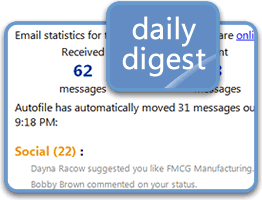
Review email filed and your email activity

one daily summary

get a single daily digest of your AutoFiled
newsletters, notifications, etc.

Download and install Outlook add-in to organize email and manage inbox 

Getting Started

Install AutoFile for Microsoft Outlook to see the messages that really matter to you.
No rules or complicated setup.  The AutoFile service regularly updates with new rules to automatically file and categorize email - so you can focus on the important emails in your inbox. Here are some tips to get started:

File to suggested folders

After installation, AutoFile automatically moves unimportant messages out of your inbox to deal with later:

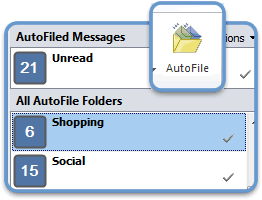
  • Click Dashboard to open the AutoFile sidebar and quickly review unread AutoFiled messages.
  • To AutoFile additional senders, select New AutoFile Rule or drag messages into the Sidebar.  AutoFile will automatically file all future messages from them.
  • Click the check mark in a filing group to mark all messages in that group read.
  • Double-click the group name to jump to the Outlook folder for that group.
File to suggested folders 
 

The Daily Digest is a summary of AutoFiled messages so you never lose any information.  The Daily Digest:

  • Is sent to your Inbox once a day.
  • Lists all of your AutoFiled messages.
For more information on these features, see our User Guide.
 

AutoFile Demo
 

Watch a brief demo of Autofile (formerly ClearContext Personal)


System Requirements

  • Outlook 2010, 2007 or 2003
  • Windows 7, Vista or XP
  • Mail access via POP or Exchange 2000 - 2007 (Cached Exchange Mode Recommended)